

Lost website and domain access: how to regain control
 Przemek Drożniak
When I hand over a website, I give the client access and show them how to use it. I usually launch it on their hosting. I want the domain and server to be under the client's control.
I hand over WordPress access and other credentials separately, through a secure note. If file access is needed, we agree that part too.
This is how I described my handover process in October 2026. WordPress access and hosting access are separate things. It helps to know what each one controls.
Problems arise when you want to change providers or repair the website, but do not know who can access the domain, server and backups. Below is a way to work through that. The domain procedures in this guide primarily concern Polish .pl domains.
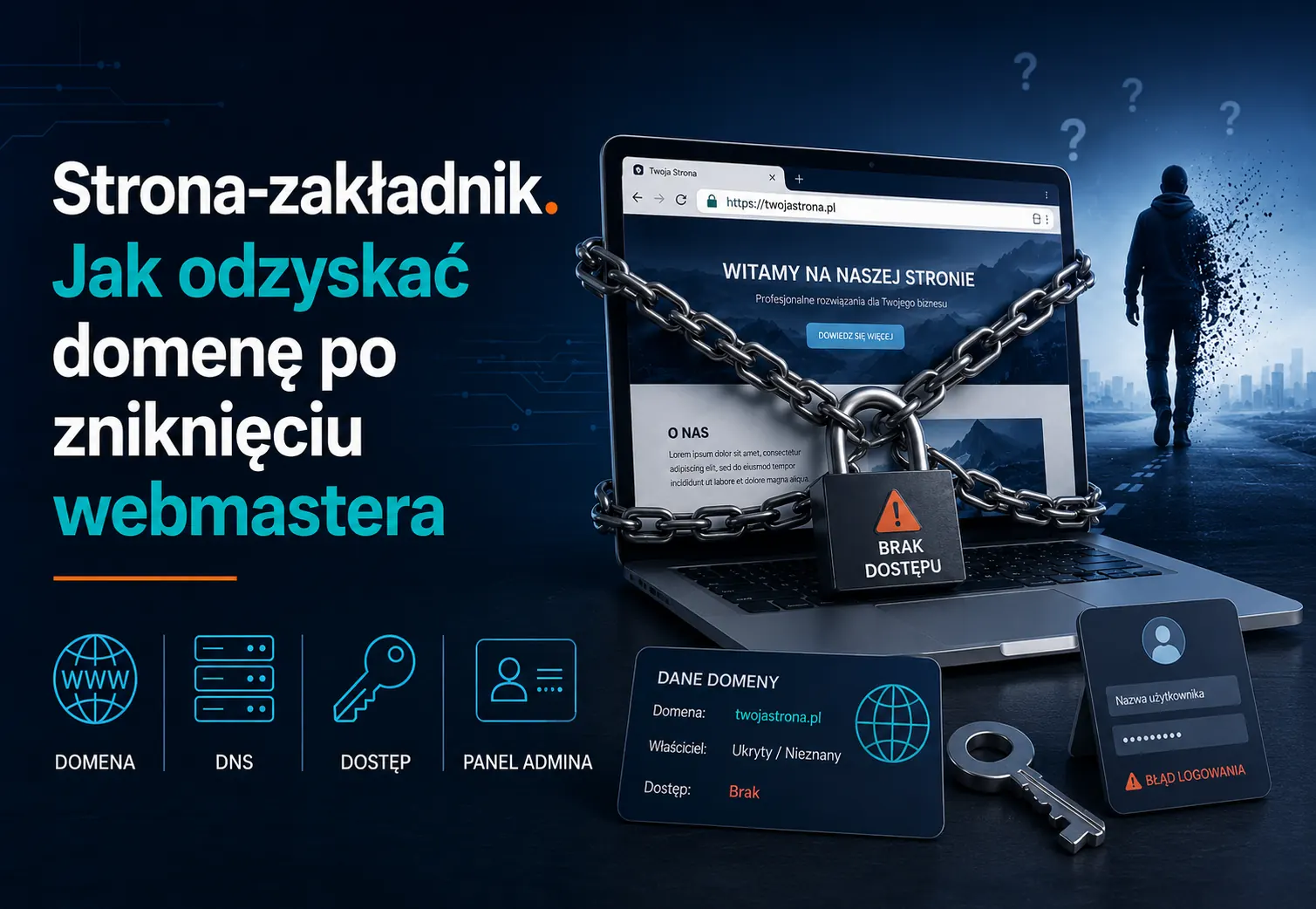
Information checked on 22 October 2026. Hidden WHOIS details, including those depicted in this article's illustration, are not evidence that a domain has been taken from you.
First, identify which access you are missing
“I cannot access my website” can mean several different things. List them separately:
| Item | What it controls | What to check |
|---|---|---|
| Domain registrar account | Renewal, registrant details and domain management | Who the registrant is, who holds the account and who controls its recovery email |
| DNS | Where the domain points for the website, email and other services | Where records are managed and who can change them |
| Hosting | Website files, the database and sometimes email | Whose details the service is registered under, who pays and who has panel access |
| WordPress | Editing and managing the website | Your individual account and permissions appropriate to your tasks |
| Backups and documentation | Restoring or handing over the website | What the backup contains, whether it can be downloaded and how to restore it |
The domain, hosting and email may use three different providers. Changing DNS without checking email can interrupt it even if the website itself is working.
Not having an administrator account for everyday editing does not automatically mean losing your rights to the site. An editor account can be appropriate. What matters is knowing the administration arrangements, how to regain control and how to end the relationship.
What WHOIS can tell you
For .pl domains, start with NASK's official lookup. It can help identify the registrar and public domain information.
Missing public registrant details do not mean your developer has taken the domain. NASK does not publish WHOIS details of registrants who are natural persons. Hidden details could therefore be yours. See NASK's privacy policy.
Confirm the registrant in the registrar's panel or through its support team, following its verification process. Check that you control the recovery email address as well.
Even correct registrant details do not establish access to hosting, files, email or WordPress. WHOIS is one check, not an all-clear.
Choose the route that fits your situation
You are the registrant, but cannot access the account
Contact the registrar. Explain the lost access and ask about account recovery or changing the contact email. Prepare the documents it requires to confirm your identity and authority.
Check the domain's renewal deadline. Keep account recovery separate from any transfer to another registrar. If the domain is already in a special post-expiry status, confirm the next steps with the operator rather than assuming a normal transfer is possible.
The developer is the registrant and agrees to hand it over
Arrange a change of registrant, transferring the rights and obligations under the domain agreement. The operator specifies the procedure and confirmations required.
AuthInfo is used to change the registrar managing a .pl domain. The code alone does not change its registrant. These are separate operations. If you are doing both, agree the order with the registrar. See NASK's transfer guidance.
Someone else is the registrant and there is a dispute
Gather the agreement, invoices, correspondence and documents concerning rights to the name. Prepare a short timeline: who registered the domain, what was agreed and when the problem arose.
NASK does not decide who has rights to a disputed name based solely on an invoice or Polish business registration. A dispute may require proceedings before the appropriate arbitration court or a state court. The registry's subsequent actions depend on the relevant decision. NASK explains domain disputes here.
You may need a lawyer. It would be misleading to promise recovery within a few weeks for a fixed fee without examining the case. In parallel, secure the resources you are authorised to access.
You control the domain but lack hosting or files
Establish whether the hosting account is yours or whether the site uses the developer's service. Agency hosting or a subscription platform can be an agreed arrangement. The contract, export options and exit terms matter.
If the account is yours, start with the hosting provider's recovery procedure. If it belongs to the developer, request a copy and an agreed handover. Being able to view a public website does not automatically give you rights to copy all its code, images and licences.
A message you can send to the developer
You do not need to assume bad faith. Start by requesting specific information:
Hello, I am organising access to our website. Please confirm who the domain registrant is, which registrar manages it and where the website is hosted.
I would also like to arrange WordPress access, a current copy of the files and database, and information about paid licences. If a change of registrant is needed, please outline the next steps with the operator.
Let's share credentials through a secure note or password manager. Please let me know how we can arrange this.
Adapt this template to your agreement and rights. Do not send passwords in an ordinary email. Where possible, create individual accounts instead of taking over a shared login used by several people.
Do you need to rebuild on a new domain immediately?
First, check what can be recovered. A new domain may help your business resume operations, but it affects email, addresses in marketing materials and search visibility.
Without control of the old domain, you may be unable to set up redirects. There is no basis for promising that all traffic will be preserved. A migration plan should account for available backups, rights to materials, email and informing users about the new address.
Domains such as .com and .org follow different procedures from .pl. Transferring their management does not resolve a dispute over the name either. Check the relevant registry's rules and ICANN's transfer information.
What a website handover should include
Individual accounts, a map of services and payments, a current backup and licence information. Also instructions and a contact for questions.
I show clients how to edit content in WordPress and their site builder. I record an online training session or prepare a video guide they can return to. You do not have to remember everything from one meeting.
When a working relationship ends, agree which permissions to remove and which shared passwords to change. Keep access for people who are still authorised to do agreed work.
Two common questions
Is an invoice for the website enough to recover the domain?
It may provide evidence of an agreement, but it does not replace checking the registrant and following the relevant procedure. Rights to the domain, hosting account and website materials need separate consideration.
Does ongoing maintenance mean giving up control?
It should not. You can delegate maintenance while keeping individual accounts, knowledge of the services and clear exit terms. I explain the scope in my article on WordPress maintenance.
If you are unsure where to start, tell me about your situation. I can help establish the technical access position and possible next steps. Resolving a dispute over rights is a separate matter.

Przemek Drożniak
Web Developer & Designer
For more than 10 years I have been building websites for businesses and institutions. 60+ 5-star reviews on Google. I focus on quality and an individual approach to every project.
I build websites that serve for years.
Read also
EAA and WooCommerce: obligations and initial accessibility checks
Who Poland's Accessibility Act covers and how to start checking WooCommerce. Exemptions, fines, service information and practical accessibility tests.
WordPress maintenance: scope, costs and responding to downtime
What WordPress maintenance includes, how incident response works and what you pay for. A real monitoring story, service scope and questions for your provider.
Want to talk about your website?
30 minutes. No commitment. You will learn exactly what to do.