

Hostage website. How to recover your domain when the webmaster disappears
 Przemek Drożniak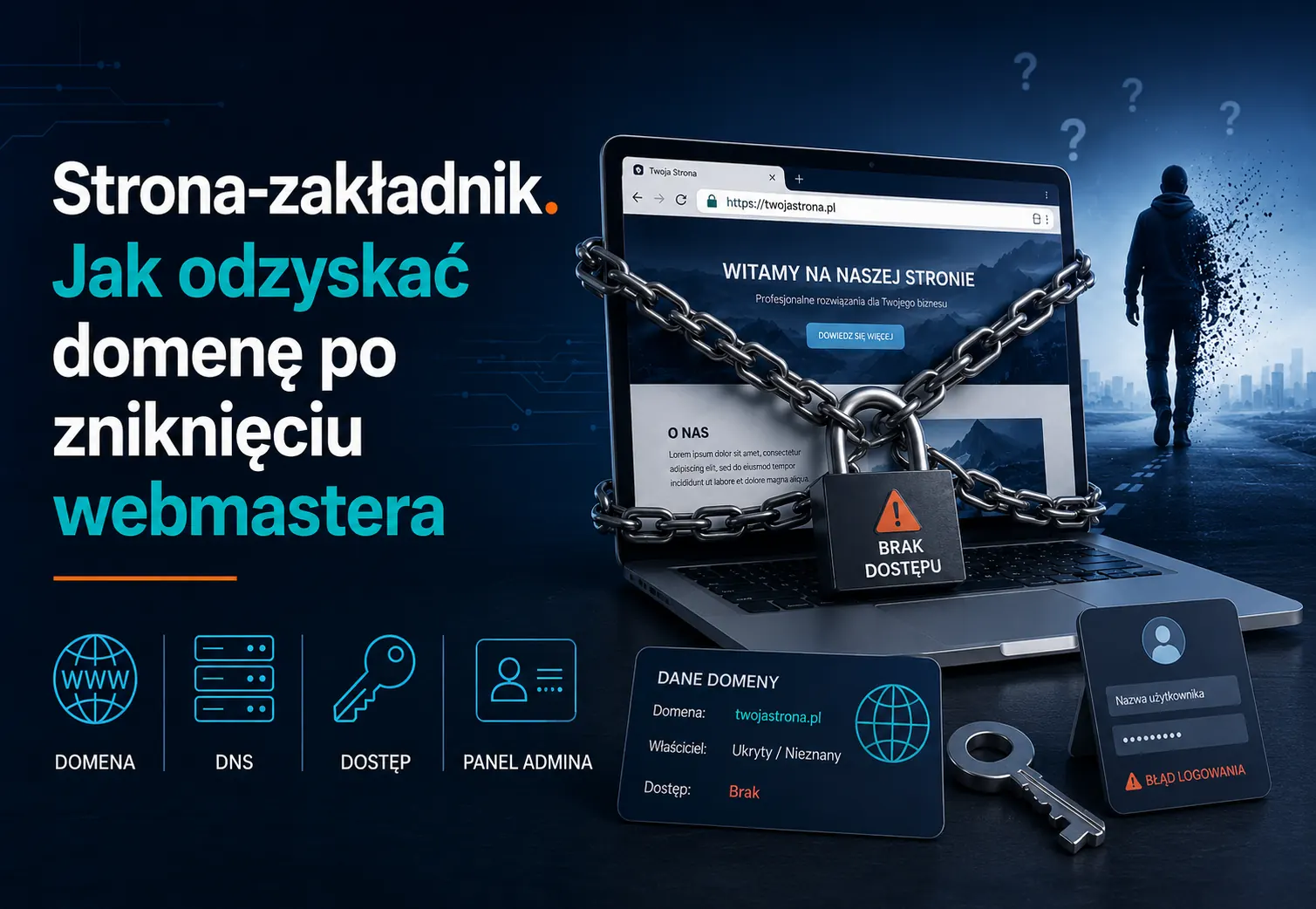
Check it in 30 seconds
Open whois.com, type in your domain and press Enter. In the "Registrant" field you'll see the company or person whose name your website is actually registered to.
If you see your own data or your company name there, you can stop reading. Everything is in order.
If you see your webmaster, an agency, a hosting provider with something like "registrant data available to authorized parties", or completely unfamiliar data, stay with me. You have a problem worth solving today, not the day your webmaster disappears.
What is a "hostage website"
It's a website where you, the business owner, don't actually have full access. Specifically:
- The domain is registered to someone else's data (webmaster, agency, former partner)
- Hosting lives on someone else's account, sometimes inside someone else's billing setup
- You don't have access credentials to the admin panel, FTP, or database
- You don't have a copy of the source files, code, theme, photos, content
- You don't know where the documentation is, contract, passwords, instructions
Each of these five points on its own may be an unintentional oversight. Five out of five is the scenario where your website can stop working at any moment, and you have no way to fix it.
This is not a theoretical risk. It's the standard journey of a client who ordered a website "on referral" for 1,500 PLN and five years later is looking for a second developer.
Why it happens
The Polish web development industry lacked basic standards for a long time. The client asked for a website, the developer registered everything in their own name, because it was faster, easier to bill, because "we'll work together for years anyway". Then life wrote its own scripts.
According to my external research, 44 to 50% of microbusinesses in Poland don't have a website at all. Of those that do, a significant portion are exactly this, hostage websites, built fast, cheap, and on someone else's accounts.
A quote that describes the industry well:
"95% of those websites built on cookie-cutter solutions from a guy on a classifieds site will be low quality."
Source: industry discussion, WPziom 2025 (translated from Polish)
A second quote, even more direct:
"Clients have negative experiences with freelancers who disappear without a trace."
Source: analysis of Polish freelancers, OPracyZdalnej.pl 2025 (translated from Polish)
I talk about this so openly because I have my own history that explains why this matters to me.
My own story
I started 10+ years ago. No contracts, no deposits, on trust. I was scammed several times, once for 2,000 PLN, once for 4,000 PLN, once for a larger amount. I worked with a partner who was running his own projects in parallel without a shared vision. I gave away materials, time, knowledge for free, in the belief that it would come back.
It didn't.
From every story like this I extracted one concrete operational lesson. Today everything I do is subordinate to one rule:
The client must hold all the keys. From day one.
Domain on the client's data. Hosting in the client's account. Full access to the panel, FTP, database. Code in a repository the client has access to. Documentation with passwords in one place. If the client decides to leave me in the future, they take the website and go. With nothing missing.
This is the only standard that makes sense for both sides.
5 red flags - check yours
If even one of the following is a "yes", you have something to work on.
1. Whois shows someone else's data. You already checked at the beginning of this article. This is the biggest flag.
2. You don't know where the hosting is. If something breaks and you don't know who to call, the webmaster is a single point of failure.
3. You don't have admin access to the website. Only the developer logs in? Even for a simple change of phone number or opening hours? This isn't "for security", it's lack of ownership.
4. You don't know when the last backup was made. And you don't know where the backups are. A backup you don't know about is a backup you don't have.
5. There is no documentation at all. No contract. No password list. No "how this works" notes. Just verbal agreements from a few years ago.
Four out of five = a standard Polish hostage website. Five out of five = a case to resolve this week.
What to do - 4 steps
Step 1. Check whois (30 seconds)
You did this at the beginning. Now save the result. If the registrant is "not you", take a screenshot, date it, file it in a safe place. That's your proof of the starting state.
Step 2. Contact the webmaster (1 day)
Write an email in a simple, neutral tone. No accusations, no ultimatums. Sample template:
Hello,
I'm getting our company's technical setup in order. I'd like to transfer the domain [example.com] and hosting to accounts registered under my company. Please send me:
- The auth code / EPP code for domain transfer
- Full hosting credentials (or confirmation that the hosting is paid for from a company account)
- A copy of the website source files (code, database, theme, content, photos)
- The current password list (admin panel, FTP, database, mailing)
Thank you in advance.
If the webmaster responds constructively, great. You handle it point by point and close the topic in a few days.
If the webmaster goes silent or refuses, you move to step 3.
Step 3. Migrate to your own setup
There are three real paths here:
A. The .pl domain. Contact DNS NASK (the Polish .pl domain registry). You can submit a domain cession request if you can prove your rights to the name (for example a CEIDG business registration entry, a trademark, invoices for the website). The procedure takes a few weeks, but it works. For other TLDs (.com, .net, .org and most international ones) the equivalent path is initiating a transfer through any registrar, where the auth code is usually the only piece you need.
B. Building an independent copy. If recovering the specific domain is impossible or not cost-effective, you copy the website (alone or with a developer) and launch it under a new domain registered to you. This solution is more common than people think, sometimes the cost of fighting for the old domain is higher than building a new one, better, and properly set up from the start.
C. The "keys in your hand" package. You hire a developer (me or someone else) who does a full audit of the situation, contacts the previous webmaster on your behalf, runs the migration of domain, hosting, code, content, and at the end hands you the documentation and passwords.
Step 4. Ownership documentation
After the migration, you create one file (best inside a password manager: Bitwarden, 1Password) with the following entries:
- Domain (registrar, login, password, expiry date)
- Hosting (provider, login, password, SSH/FTP path)
- Website admin panel (URL, login, password)
- Database (host, login, password)
- Business email accounts (if hosted)
- DNS (where the MX, A, TXT records point)
- Code repository (if any)
- Vendor contracts as PDFs
- Contact details of the developer who serves you
You update this file once a year or after any major change. After a year you'll forget where everything is, that's why the documentation must exist.
How to prevent this in the future - new website checklist
If you're just starting a new project, you have an easier path. All it takes is for you to say plainly on the first call with the developer that you need the "keys in your hand". Concretely this means:
-
Domain registered on my data
Business or personal, not on the webmaster.
-
Hosting on my own account
At the chosen hosting company, not on the developer's bulk account.
-
Full admin access from day one
Not "I'll give it to you later".
-
Code in a repository with my access
Git, GitHub, or GitLab.
-
Automated backups with my access
Where they live and how to restore them.
-
Written contract with an explicit "ownership and access" section
-
Documentation PDF with passwords and contacts
Delivered at project handover.
Any honest developer will agree to every one of these points. If someone pushes back with "oh, no need, I'll handle that", that's the moment you say thank you and look elsewhere.
One of my clients told me this directly after two years of working together: "the most valuable thing was that everything was mine from day one". This isn't a feature, it's a foundation.
"Keys in your hand", what it means with me
Every website I build ends with a handover document containing passwords and access details. Domain on the client's data. Hosting in the client's account. Code in a repository with the client's access. Full documentation in PDF.
I do this because it's the right thing to do, and because I know first-hand what the client's situation looks like from the other side. A client who knows they can leave at any time most often stays for years. This isn't a paradox, it's a trust standard.
When I work with ongoing technical care, the client has access to everything and I take the daily maintenance off their hands. When the client prefers to manage it themselves, I hand over the documentation and stay available for questions. Both of these paths are legitimate, grown-up, and predictable.
Frequently asked questions
Can I recover a .pl domain without the auth code? Yes, you can submit a cession request to NASK if you can prove your rights to the name. It takes a few weeks and costs a few hundred PLN in administrative fees.
Can a webmaster legally keep my domain "in their own name"? From the registrar's terms of service perspective, the domain belongs to whoever it's registered to. That means formally the webmaster can be the owner until you prove your rights to the name or settle it with them civilly.
What if the webmaster has simply disappeared, doesn't respond, the phone doesn't work, the email bounces? You go down the NASK cession path and in parallel migrate to a new domain and a new website, so you don't lose traffic. In practice that's two parallel tracks: legal (long) and operational (fast).
How much does it cost? A simple audit of the situation and contact with the webmaster, a few hundred PLN. Full migration with a new website build and documentation, from a few to a dozen-plus thousand, depending on scale. A free consultation starts every conversation.
Does this still happen in 2026, or is it an old problem? It happens today. Some industries (especially local services, dental practices, mechanics, hair salons) are particularly exposed, because the website replacement cycle is longer there and the cost pressure is stronger.
What to do now
If you have a website and you haven't checked whois yet, go back to the beginning of this article and do it. Thirty seconds.
If the whois result is unclear, definitely not yours, or you're starting a new website project, book a free 30-minute consultation. We'll go through your specific situation, and you'll walk away with a written action plan. Every website I build ends with your full access to everything.
If this article was useful, pass it along to someone who might have this problem. The most common reaction I get from clients is: "I didn't know this was a problem until someone told me about it".

Przemek Drożniak
Web Developer & Designer
For more than 10 years I have been building websites for businesses and institutions. 80+ projects, 60+ 5-star reviews on Google. I focus on quality and an individual approach to every project.
I build websites that serve for years.
Read also
EAA and your WooCommerce store. Compliance checklist in 2 hours
Since June 28, 2025, online stores (except micro-businesses) must comply with WCAG 2.1 AA. Check in 2 hours whether the law applies to you. 7 steps, free tools, fines up to 10% of annual turnover.
Read more

Website maintenance - what you actually get and what it should cost
Check in 60 seconds whether your website gets regular updates. What MUST be in a maintenance package, what most providers don't deliver, and what it should cost in 2026.
Read moreHostage website. How to recover your domain when the webmaster disappears
Check who owns your domain in 30 seconds. What to do when the webmaster goes silent. A practical 4-step guide with a prevention checklist.
Read moreWant to talk about your website?
30 minutes. No commitment. You will learn exactly what to do.